Reviews drag on for weeks
Discipline engineers burn hours cross-referencing MDRs, ITPs, and vendor submittals against standards a generic chat tool cannot apply.
AI DOCUMENT REVIEW FOR ENERGY, EPC & OIL AND GAS TEAMS
Raycaster checks MDRs, ITPs, datasheets, procedures, and vendor packages against NACE, API, ASME, and your project specs—then puts comments on the file. Engineers validate and decide in minutes, not weeks.
WHY THIS EXISTS
It is where projects lose schedule, lose money, and discover the things nobody flagged in time.
Discipline engineers burn hours cross-referencing MDRs, ITPs, and vendor submittals against standards a generic chat tool cannot apply.
An off-spec material, missing NACE clause, or stale API reference found at site costs far more than catching it at design review.
Reviewers rebuild the paper trail months later for decisions that should have carried the clause, standard, and reviewer from day one.
WHERE IT LANDS
Oil and gas engineering packages and EPC contracted deliverables share one workflow: map the governing requirements, mark up the file, issue a disposition.
Oil & gas engineering
Datasheets, procedures, MDRs, and ITPs checked against NACE, API, ASME, and project specs. Cited findings on the file. Engineers keep the stamp.
Packages
What changes
EPC contract review
Agreements, SDRLs, purchase-order requirements, and vendor packages reviewed against the specs that control the job. A / B / C / D stays with your reviewers.
Packages
What changes
HOW IT WORKS
Three steps. No workflow rewrites.
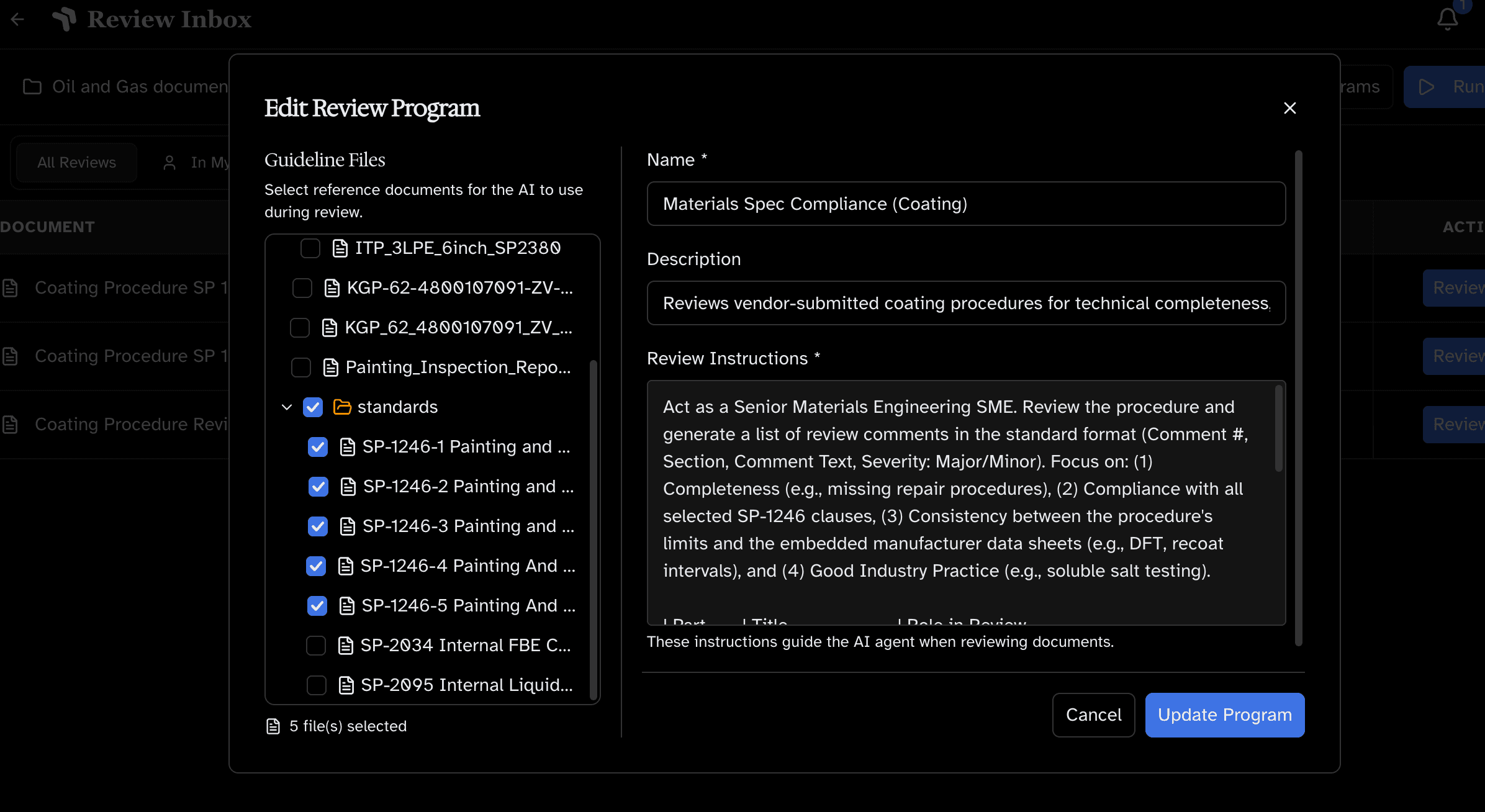
Standards mapping UI
Attach NACE, API, ASME, project specs, or your own standards. Add custom review instructions to define what to check.
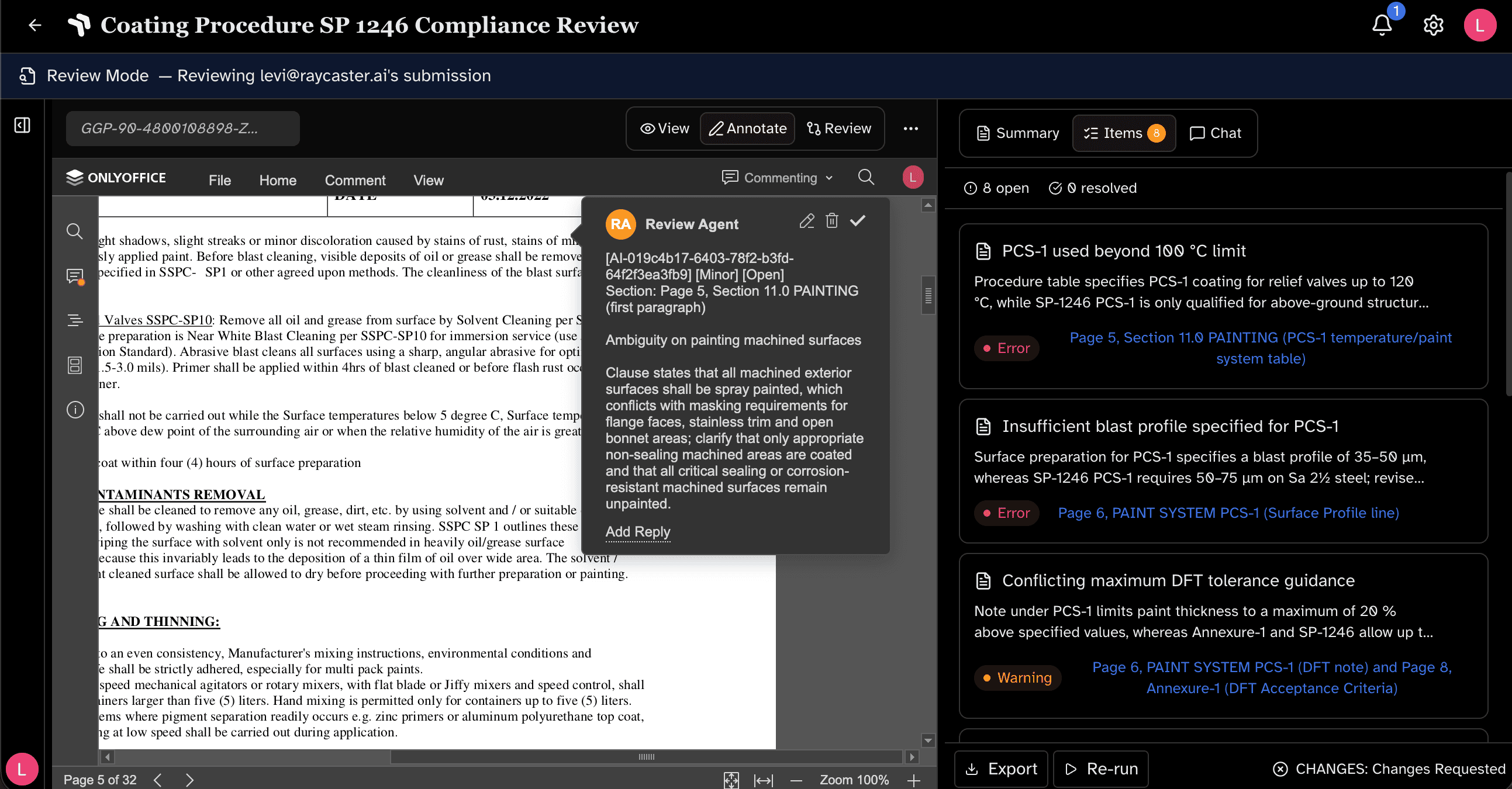
Review in progress
Raycaster checks the full document against your standards. Gaps, inconsistencies, cross-reference errors — flagged with citations. Not keyword matching.
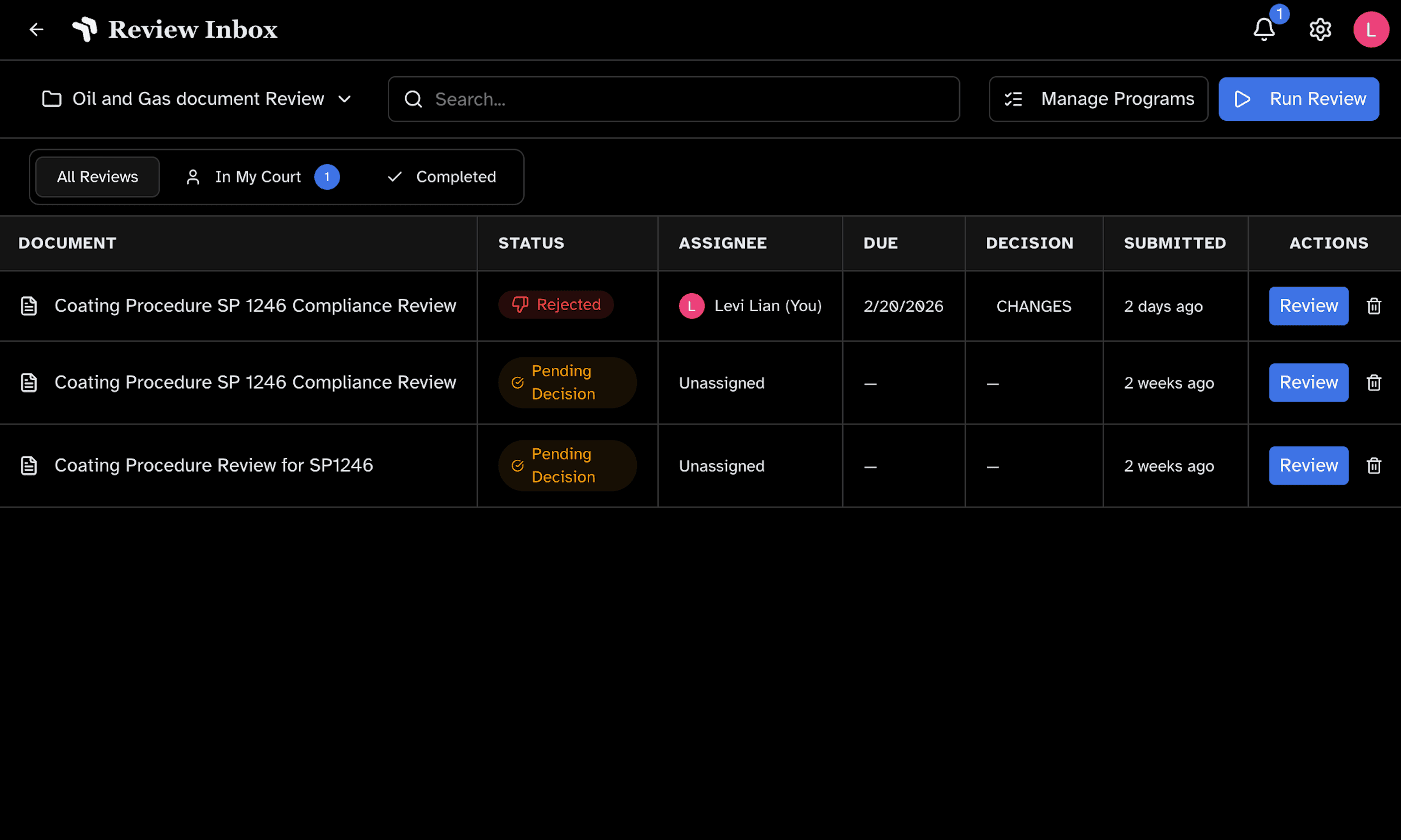
Annotated PDF + summary
Review the annotated PDF and summary. Approve, revise, or reject. The decision — and the stamp — is yours.
WHAT RAYCASTER FINDS

Requirements in your standards not addressed in the document.

Citations to superseded standards or specs.

Conflicts between sections or with the standards.

Specs you require that aren't mentioned.

Broken or incorrect internal references.
Each finding includes the issue, clause, severity, and suggested action. You verify. No black box.
AI places comments directly on the PDF like a human reviewer. For Word and Excel files, Raycaster stages reviewable changes where supported. The summary panel shows gaps, severity, and confidence so you know where to focus.
Document types
Technical, contractual, and turnover records stay in one governed review loop.
Built with input from discipline engineers across oil & gas, EPC, and capital-project delivery.
Yes. Upload NACE, API, ASME, project specs, or internal standards. You control what each document is checked against.
Work with Raycaster
Bring an MDR, ITP, vendor submittal, or procedure you reviewed last week. We will run the review live.
Book a DemoPrefer published evaluation traces for Energy workflows? Inspect the public evidence library.
Open Energy evidence ↗