

DOC AGENT
AI document reviewand revision.
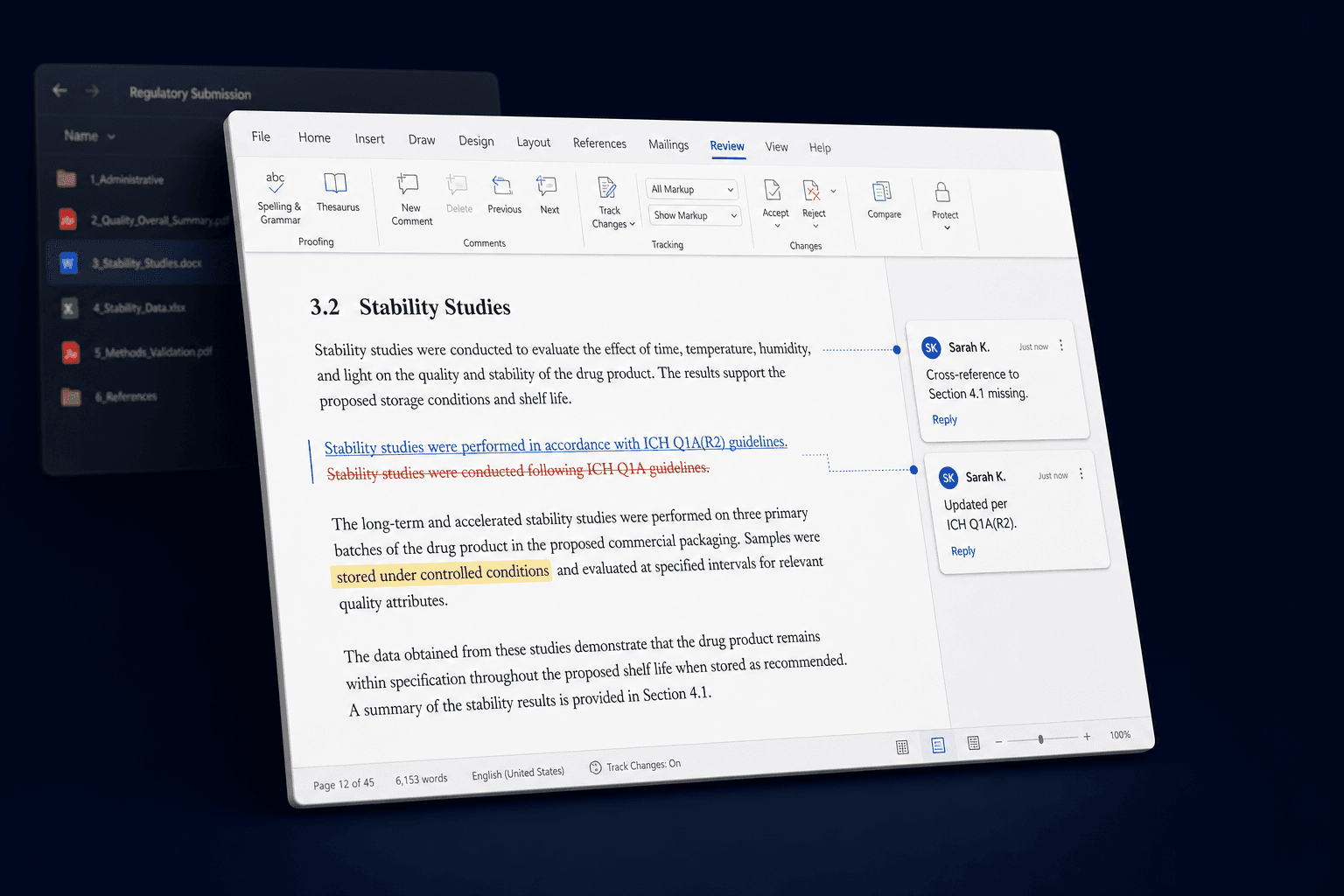
Doc Agent opens Word files, PDFs, Excel workbooks, PowerPoint decks, and CSVs the way a careful reviewer would. It marks up findings inline, cites the source for every change, and waits for your approval before anything touches the file of record.
HOW IT WORKS
From uploaded file to approved change.
Three steps. The file of record is never altered until you say so.
Upload documents and attach standards
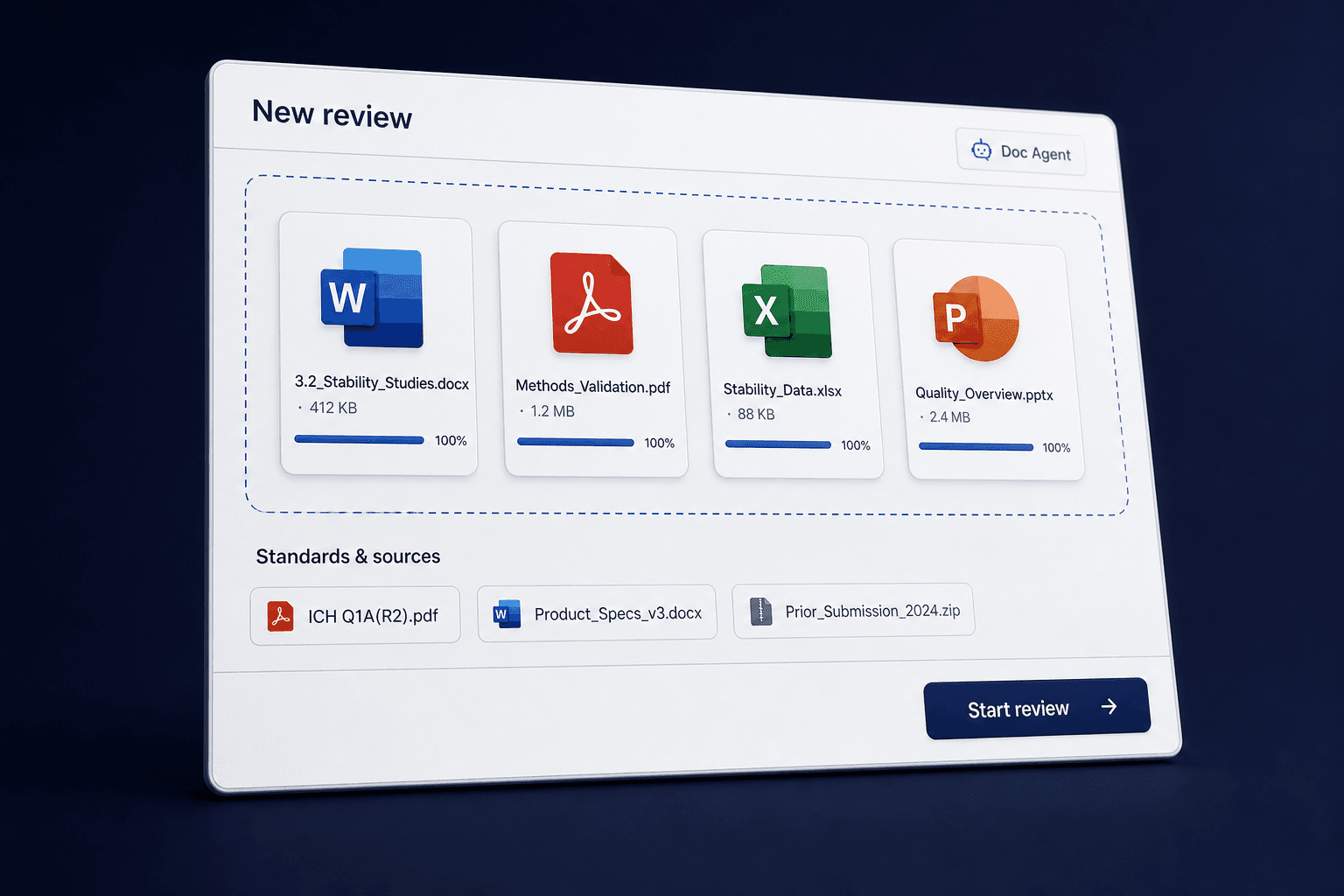
Bring the file.
Drop in a Word doc, PDF, spreadsheet, or deck. Attach the standards, prior submissions, or specifications it should be checked against.
AI review running with cited findings
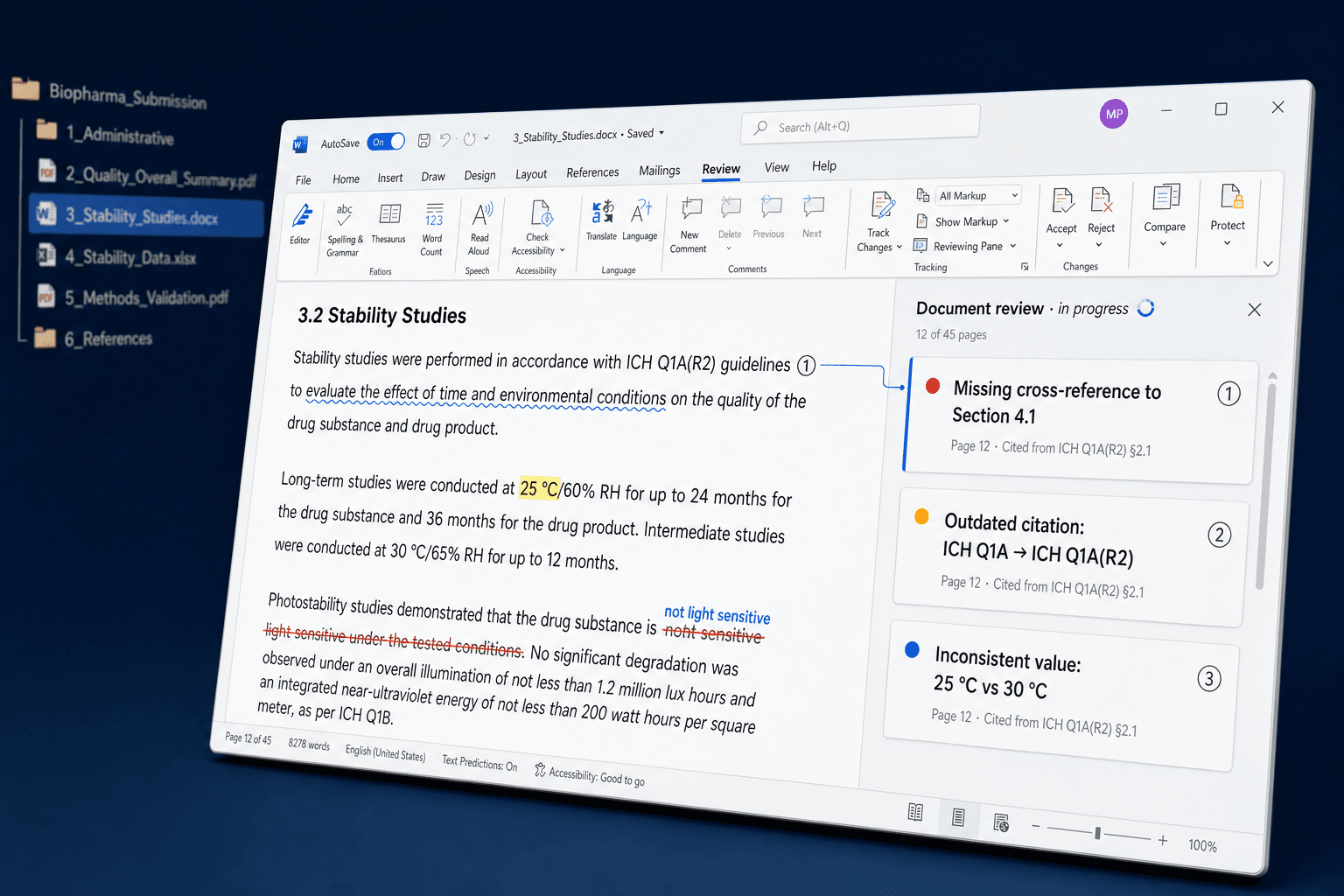
Ask for a review - or a revision.
Tell Doc Agent what to find or what to change. It reads tables, citations, headers, and figures the way a person would, not as a flat wall of text.
Staging workspace with accept and reject
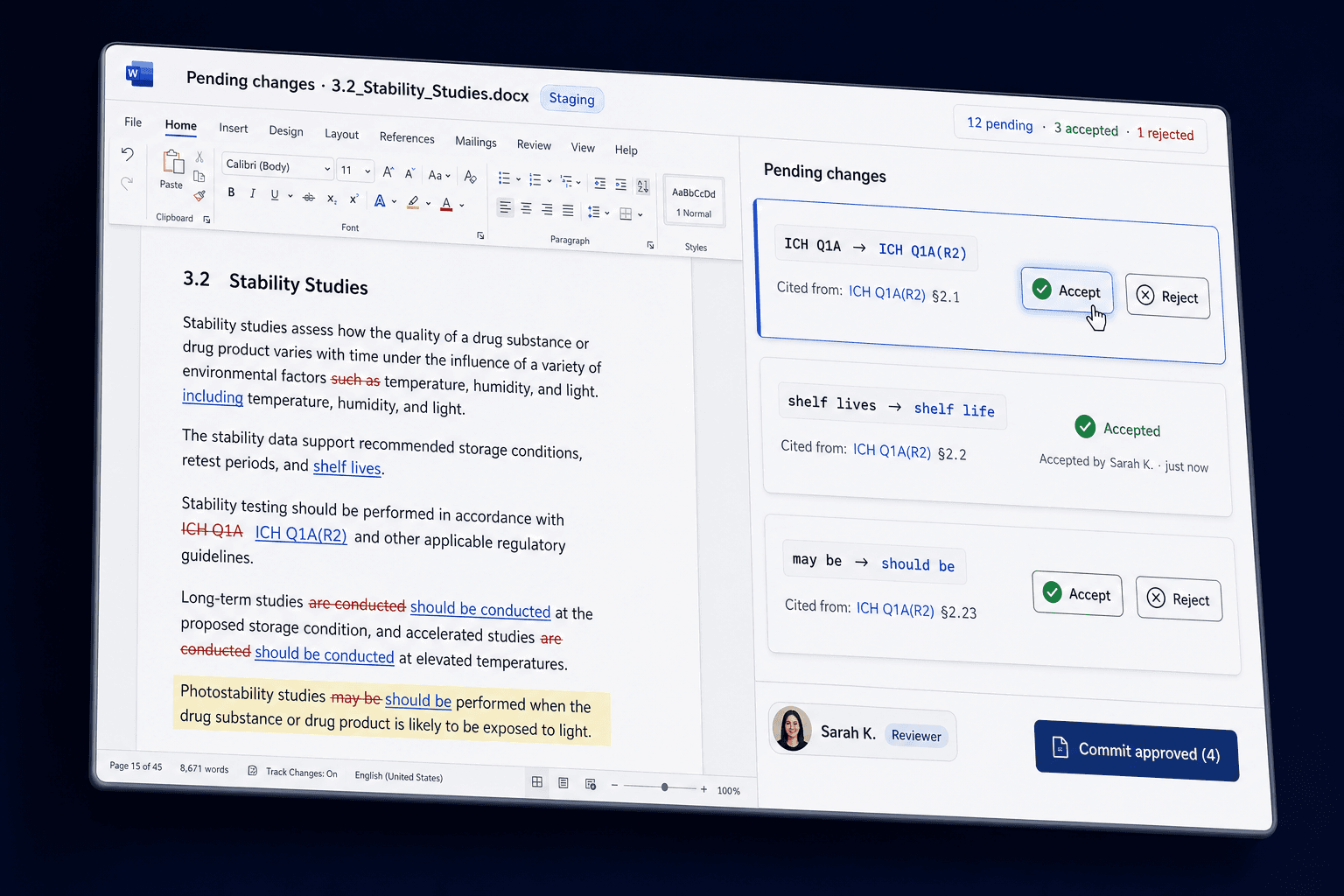
Approve before merge.
Every comment, redline, and value change lands in a staging workspace. Accept, edit, or discard before anything touches the file of record.
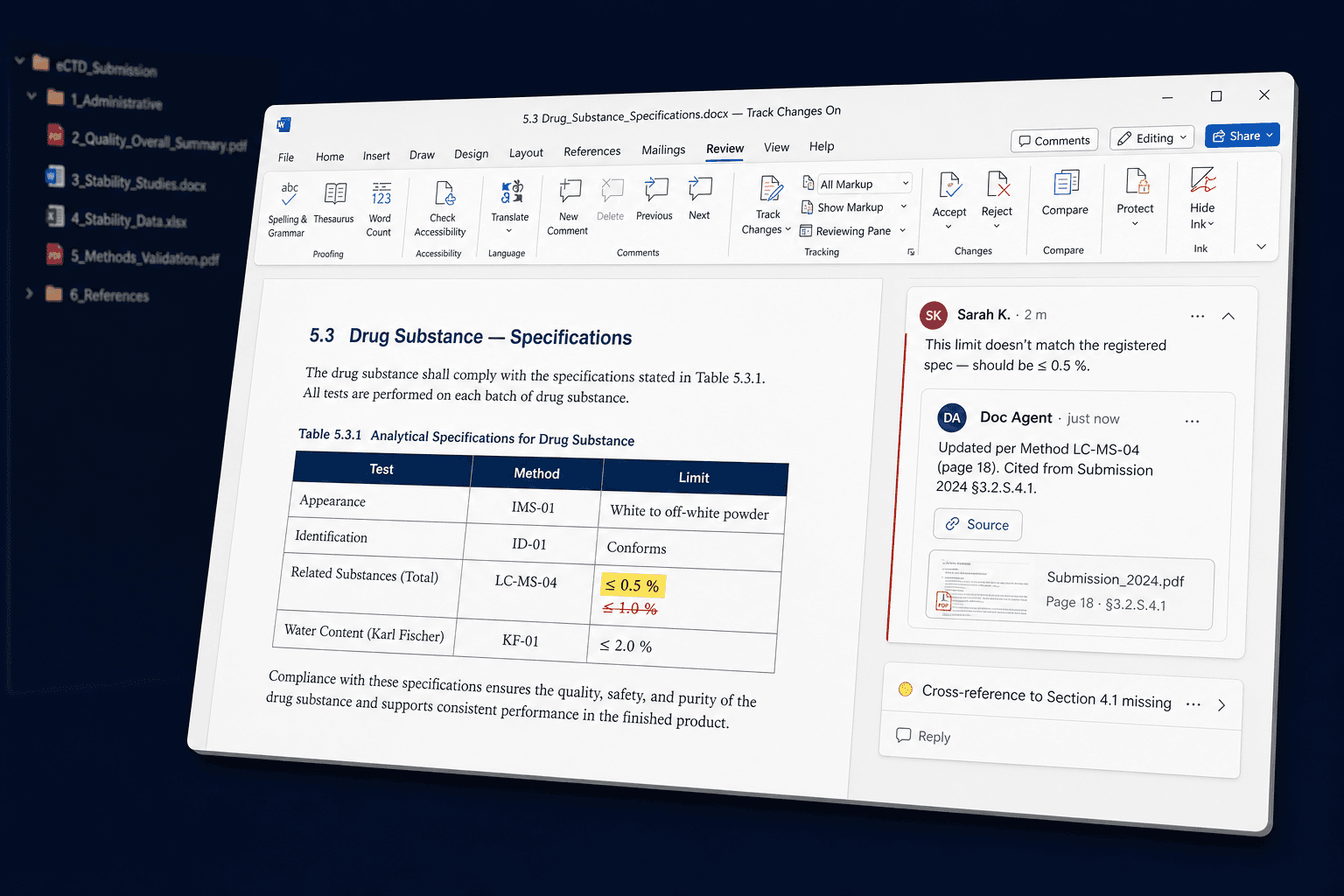
Comments on the document. Not a chat next to it.
Findings land on the page they belong to, with the citation that grounds them. The summary panel lists severity and where to focus. Reviewers stay in the document the whole way through - no copy-paste, no parallel chat thread, no detached PDF report.
FORMAT CAPABILITY
Built for the formats your work actually lives in.
Word, PDF, Excel, PowerPoint, and CSV - handled as documents, not as stripped plaintext. Layout, tables, and figures are preserved through every step.
| Format | View | Comment | Edit | Track changes | Approval |
|---|---|---|---|---|---|
PDF Specs, submissions, reports | Annotate | ||||
Word (DOCX) Protocols, narratives, SOPs | Edit | ||||
Excel (XLSX) Datasets, tables, models | Edit | ||||
PowerPoint (PPTX) Decks, board reviews | Edit | · | |||
CSV Source tables, exports | · | Edit | · |
Capabilities reflect what is implemented today. Cells marked with a dot are not yet in the supported set for that format. ZIP archives are accepted on upload and unpacked into the supported formats above.
AI workspace for Word, PDF, Excel, PowerPoint, and CSV review.
PROOF
Built from the work, not from a slide.
Doc Agent is grounded in published engineering and benchmarks. Every claim above is backed by source.
Built with input from regulatory, CMC, quality, and EPC reviewers who own the documents of record.
FAQ
Word (DOCX), PDF, Excel (XLSX), PowerPoint (PPTX), and CSV are first-class. ZIP archives are accepted on upload and unpacked into those formats. Layout, tables, and figures are preserved through the review.
See it on a
document you actually work on.
Bring a Word file, a PDF, or a spreadsheet you reviewed last week. We will run it through Doc Agent live and show you the staging workspace.
AI document review.
Word, PDF, Excel, PowerPoint.
Don’t miss out on Raycaster updates.
Products
Capabilities
Solutions
